

Alternatives to Vivideo
Vivideo is a free AI video generator that transforms text and images into professional videos up to 10 minutes long using over 30 top models without.
Explore 20 alternatives to Vivideo. Compare features, pricing, and find the best fit for your needs.

Dola AI
Freemium AI creative studio: generate images and videos, edit photos and films, compose 3D scenes, and work with docs, sheets, slides and PDFs.
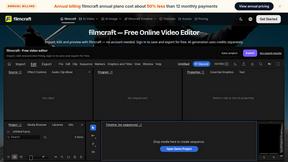
filmcraft
Free online video editor in your browser: import, color, audio and preview with no account. Optional AI tools use credits.

ArtCraft
Browser creative studio for images, video and 3D: compose, edit, stage scenes and organize references. AI generation uses credits.

GenX
All-in-one AI workspace to generate images, videos, and audio with multiple leading AI models.

Dola AI
Create AI videos from text or images with Dola AI. Free starter credits, multiple video models, instant downloads, plus AI image generation.
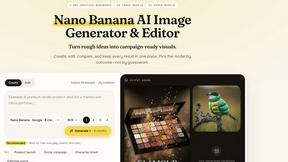
Nano AI
Create and edit AI images, generate videos, and compare models in one creative workbench.
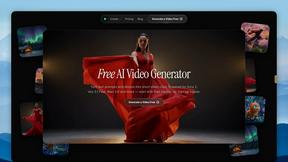
FreeVideoGenerator
Free AI video generator: turn text prompts and photos into video clips with Sora 2, Veo 3.1, Wan and more. Free starter credits, no watermark download
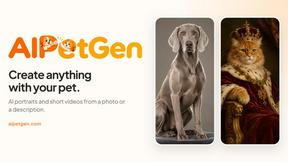
AIPetGen
AIPetGen turns a photo of your dog, cat, or other pet, or a written description, into a new picture or a short animation.

Slide-Easy
A Mac app that turns your App Store link into a week of Instagram Reels and carousels, written from your real reviews.





Link to Song
Paste a TikTok, YouTube, Instagram, Facebook or X video link and get the song name, artist and official listening links.
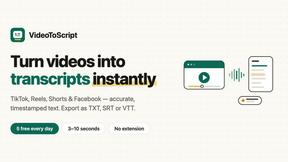
VideoToScript
Turn TikTok, Reels, Shorts, Facebook videos, audio, and video into accurate timestamped transcripts with TXT, SRT, and VTT exports.

UGCad AI
AI UGC video ad Generator which Turn a URL, prompt, or template into a ready video ads

PerchanceAI
PerchanceAI is an AI creative studio for image generation, editing, background removal, product photos, and image-to-video creation.

About Vivideo Alternatives
Vivideo is an AI-powered video generation platform that falls under the video creation and editing software category. It enables users to transform text prompts, scripts, articles, or uploaded images into fully produced videos by automatically generating visuals, voiceovers, subtitles, music, and transitions. While Vivideo offers a streamlined workflow for creating short-form content for platforms like TikTok, Instagram Reels, and YouTube Shorts, users commonly seek alternatives for reasons such as pricing constraints, the need for more advanced manual editing controls, specific language or voice options not fully covered, or a desire for different AI model styles and output quality. Additionally, some users may require more robust collaboration features, custom branding capabilities, or integration with other tools in their existing production pipeline. When evaluating an alternative to Vivideo, it is important to consider several key factors. First, assess the core video generation capabilities, specifically whether the platform supports both text-to-video and image-to-video creation with reliable output quality. Second, examine the available customization features, such as the ability to edit scenes, adjust timing, replace voiceover languages, and control subtitles. Third, evaluate the export options, including resolution support (HD, 4K), aspect ratio flexibility, and video length limits. Lastly, consider the pricing model and whether it aligns with your usage volume, as well as the platform’s library of stock assets and the range of supported AI video models to ensure you have enough creative flexibility for your projects.
FAQs about Vivideo Alternatives
What is Vivideo?
Vivideo is an advanced AI video generator that allows users to create high-quality videos from text prompts, scripts, articles, product descriptions, or uploaded images. It automates the video production process by generating visuals, voiceovers, subtitles, music, and transitions using multiple AI video models and millions of stock assets. The platform is designed to help creators, marketers, businesses, and educators produce professional videos quickly for social media, marketing campaigns, tutorials, and more.
Who is Vivideo for?
Vivideo is intended for a broad range of users including content creators, marketers, business owners, and educators who need to produce engaging video content efficiently. It is especially useful for individuals and teams who want to create short-form videos for platforms like TikTok, Instagram Reels, and YouTube Shorts, as well as for product promotions, marketing campaigns, and educational tutorials. The platform is designed to make professional video creation accessible to everyone, regardless of prior video editing experience.
What are the main features of Vivideo?
Vivideo offers text-to-video and image-to-video generation, multilingual AI voiceovers, automatic captions and subtitles, customizable aspect ratios, and support for HD and 4K exports. It also includes an intuitive editing workflow that allows users to adjust scenes, timing, and transitions, and it is powered by multiple AI video models and a library of millions of stock assets. These features enable users to produce polished videos quickly without needing advanced editing skills.
Is Vivideo secure?
While specific security certifications for Vivideo are not detailed in the provided content, the platform processes user-uploaded text and images to generate videos, which typically involves standard data encryption and privacy practices common among reputable AI video generators. Users should review Vivideo's official privacy policy and terms of service for specific details on data handling, storage, and user rights. As with any cloud-based service, it is advisable to avoid uploading sensitive or confidential information unless the platform explicitly guarantees enterprise-grade security measures.