

product Details
Explore More
Alternatives
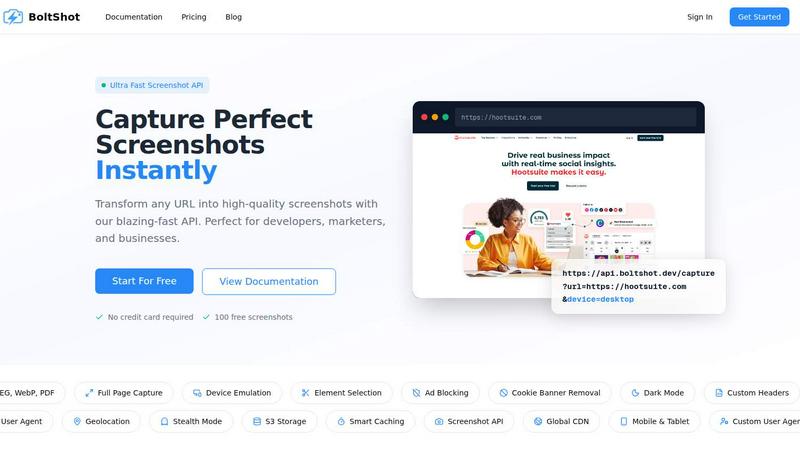
About BoltShot
BoltShot is a powerful website screenshot API designed for developers, marketers, and businesses seeking a reliable solution to capture high-quality screenshots from any URL. With just a simple API request, users can transform web pages into visually appealing images in various formats, including PNG, JPEG, WebP, and PDF. The service is particularly beneficial for those needing full-page captures, as well as for businesses requiring device emulation across mobile, tablet, and desktop platforms. BoltShot enhances productivity by allowing users to capture specific elements of a webpage using CSS selectors, while its built-in features like ad blocking and cookie banner removal ensure the final results are clean and distraction-free. Furthermore, with advanced functionalities such as S3 uploads, global CDN delivery, and stealth mode, BoltShot streamlines workflows for e-commerce previews, automated reporting, testing, compliance monitoring, and more, all without the hassle of managing browser clusters or complex infrastructure.
Features
Ultra-Fast API
BoltShot boasts an ultra-fast API that allows users to capture perfect screenshots in seconds. This speed is ideal for developers and marketers who need immediate results for their projects, ensuring a seamless experience when integrating screenshot capabilities into their applications.
Full Page Capture
With full-page capture functionality, BoltShot can automatically scroll through web pages to generate comprehensive screenshots. This feature is particularly useful for capturing entire articles, landing pages, or any content that extends beyond the visible viewport, providing users with a complete visual representation of web content.
Custom Element Selection
Users can specify CSS selectors to capture particular elements from a webpage, allowing for more granular control over the screenshots they generate. This feature is invaluable for designers and developers who need to showcase specific aspects of a site without extraneous content cluttering the images.
Clean Capture Features
BoltShot includes built-in features to remove distractions from screenshots automatically. Users can benefit from ad blocking, cookie banner removal, and the elimination of popups and overlays, ensuring that the screenshots are clear and professional, suitable for presentations or reports.
Use Cases
E-commerce Previews
Businesses can utilize BoltShot to capture high-quality screenshots of product pages or entire catalogs. This capability is essential for e-commerce platforms that need to generate visual content for marketing materials or social media campaigns quickly.
Automated Reporting
Developers and teams can integrate BoltShot into their reporting workflows to automatically capture screenshots of web applications or dashboards. This automation saves time and ensures that reports are visually consistent and accurate, enhancing overall communication.
Web Archiving
BoltShot is an excellent tool for web archiving projects, allowing organizations to capture and store visual representations of web pages for compliance or historical purposes. This use case is crucial for legal, regulatory, and research institutions that need to document web content over time.
Compliance Monitoring
Companies can leverage BoltShot to monitor compliance on their websites by regularly capturing screenshots of critical content and layouts. This capability ensures that businesses adhere to regulations and guidelines, particularly in industries with strict compliance requirements.
Frequently Asked Questions
How does BoltShot ensure high-quality screenshots?
BoltShot employs advanced rendering techniques and device emulation to ensure that screenshots are of the highest quality, accurately reflecting the appearance of web pages across different devices and screen sizes.
Can I use BoltShot for capturing only specific elements of a webpage?
Yes, BoltShot allows users to capture specific elements using CSS selectors, enabling you to generate targeted screenshots that focus on particular parts of a webpage.
Is there a limit to the number of screenshots I can capture with BoltShot?
BoltShot offers a free tier that includes 100 free screenshots, allowing users to test the service. For higher usage, various pricing plans are available to accommodate different needs.
What formats can I download the screenshots in?
BoltShot supports multiple formats, including PNG, JPEG, WebP, and PDF, giving users flexibility in how they choose to store and use their screenshots.
Similar to BoltShot
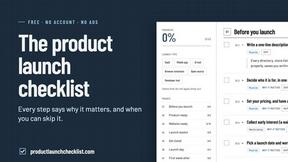
Product Launch Checklist
A free launch checklist for SaaS, apps, AI tools and more. Every step says why it matters and when you can skip it.
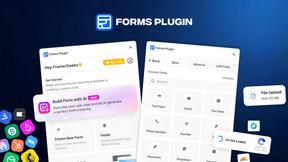
Forms Plugin
The #1 Native Form Builder Plugin for Framer - No Code, No Embeds, No External Platforms.
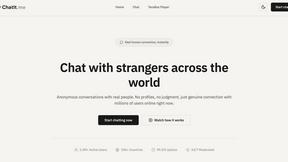
Chatit Me - Free Random Chat Alternative
Chat with random strangers online for free on ChatIt.me. Enjoy safe, anonymous, and instant 1-on-1 conversations with people worldwide



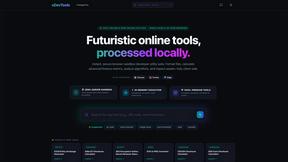
xDevTools
1000+ browser-based developer utilities. Format, encode, hash, and test data locally. No server uploads.