

product Details
Explore More
Alternatives

About Push My App
Push My App is an all-in-one platform designed specifically for indie developers and small studios to prepare, optimize, and submit their mobile applications to both the Apple App Store and Google Play Store with unprecedented speed and efficiency. The platform eliminates the traditional launch-week grind by automating the most time-consuming and error-prone aspects of app store listing creation and submission. At its core, Push My App leverages artificial intelligence to generate search-optimized metadata including app names, keywords, descriptions, and release notes in mere seconds, applying proven App Store Optimization (ASO) principles to maximize discoverability. Beyond metadata generation, the platform offers a comprehensive Pre-Flight Rejection Scanner that analyzes your build and listing against over 80 known Apple and Google rejection reasons before you ever click submit, significantly reducing the risk of rejection and subsequent delays. The screenshot resizing feature automatically generates every required device size from a single set of uploads, while the app translation tool converts your entire listing into 14 languages with keywords re-optimized per locale. Developers can simply drop their .ipa, .apk, or .aab files into the dashboard, which automatically extracts the bundle ID, version, and icon while validating compliance, then submit directly to App Store Connect and Google Play Console with a single click. Push My App also enables you to generate a promotional website and support mailbox for your app using existing metadata and screenshots, all from one centralized dashboard. Built for developers who would rather be coding than wrestling with store listings, Push My App transforms what traditionally takes days of manual effort into a confident, streamlined process that can be completed in a single afternoon.
Features
AI-Generated ASO Metadata
Push My App uses artificial intelligence to generate your entire app store metadata set, including app name, subtitle, keywords, description, and release notes, all optimized for search discoverability on both the App Store and Play Store. The AI produces high-conversion descriptions, scores your keywords against ASO best practices, and provides real-time character counts to ensure compliance with store limits. This feature transforms what typically takes two to three hours of manual research and writing into a five-minute process, with the AI generating multiple options and suggestions for you to review and approve.
Pre-Flight Rejection Scanner
Before you submit your app to either store, the Pre-Flight Rejection Scanner analyzes your build and listing against a comprehensive database of over 80 known Apple and Google rejection reasons. The scanner checks for common issues such as missing privacy manifests, improper entitlements, incomplete metadata fields, and other compliance violations that frequently cause apps to be rejected. This proactive scanning saves developers from the frustrating cycle of submission, rejection, fix, and resubmission, allowing you to address potential problems before they ever reach the review teams at Apple and Google.
App Translator with Localized Keywords
The translation feature goes far beyond simple text conversion by automatically translating your entire app store listing into 14 different languages while simultaneously re-optimizing your keywords for each specific locale. This ensures that your app remains discoverable in international markets where search behaviors and popular terms differ significantly from English-language stores. The localized keyword optimization is critical for ASO success in global markets, as direct translations of keywords often fail to capture the actual search terms used by local audiences.
Direct Submission to App Store and Play Store
Push My App enables one-click submission directly to both App Store Connect and Google Play Console after performing pre-submission validation on your build and metadata. Simply drag and drop your .ipa, .apk, or .aab file, and the platform automatically extracts your bundle ID, version number, and app icon while validating compliance with store requirements. The submission process includes automatic status tracking, so you can monitor the progress of your release without constantly checking the individual developer consoles.
Use Cases
Solo Indie Developer Launching a New App
An independent developer who has spent months coding their first mobile app faces the daunting task of creating store listings, generating keywords, resizing screenshots, and navigating the submission process for the first time. Push My App simplifies this entire workflow by generating AI-optimized metadata, automatically resizing screenshots to every required device format, and scanning for potential rejection reasons that a novice developer might not anticipate. The platform guides the developer through each step with clear instructions and validation checks, making the first launch experience far less intimidating and significantly reducing the time from code completion to store availability.
Small Studio Shipping Regular Updates
A small game studio that releases bi-weekly updates to their mobile titles needs to consistently produce release notes, update screenshots, and resubmit to both stores without dedicating an entire day to the process each time. Push My App streamlines this recurring workflow by allowing the team to quickly generate new release notes using AI, update their metadata with minor tweaks, and submit the new build in a matter of minutes rather than hours. The version history tracking feature automatically maintains a record of all submissions, eliminating the need for separate spreadsheets or manual documentation of release timelines.
Developer Expanding into International Markets
A developer whose app has achieved success in English-speaking markets now wants to expand into Japan, Germany, France, and other regions where localized store listings are essential for visibility and downloads. Rather than hiring translators or struggling with manual keyword research for each market, the developer uses Push My App's translation feature to convert their entire listing into 14 languages with keywords automatically optimized for each locale. This dramatically reduces the time and cost associated with international expansion while ensuring that the app remains competitive in each target market's search results.
Team Collaborating on a Complex App Launch
A small studio with multiple team members responsible for different aspects of app development and marketing uses Push My App as a centralized command center for their launch workflow. The product manager generates metadata using AI, the designer uploads screenshots that are automatically resized, the developer drops the build file for validation, and the marketing lead reviews translations before submitting. The side-by-side preview feature allows the team to compare their current listing against the previous submission, ensuring consistency and catching any errors before the final one-click submission to both stores.
Pricing
Push My App offers a tiered pricing structure designed to accommodate developers at different stages of their app publishing journey. The Starter plan is free and requires no credit card, providing access to basic features including AI-generated metadata for a limited number of projects. For developers who need more advanced capabilities, the Growth plan offers a 30-day free trial and includes unlimited projects, full translation capabilities, the Pre-Flight Rejection Scanner, direct submission functionality, and priority support. Specific pricing for paid plans beyond the free trial period is available on the Push My App website, with options designed to scale from individual indie developers to small studios managing multiple applications across both iOS and Android platforms.
Frequently Asked Questions
What file formats does Push My App accept for app uploads?
Push My App accepts the three standard mobile app build formats: .ipa files for iOS applications, .apk files for Android applications, and .aab files for Android App Bundles. When you drop your file into the dashboard, the platform automatically extracts critical information including the bundle ID, version number, and app icon. It then validates the build for compliance with store requirements, checking for common issues that could lead to rejection. The extracted information is used to pre-populate your listing fields, saving you from manual data entry and reducing the risk of typographical errors in your submission metadata.
How accurate is the Pre-Flight Rejection Scanner?
The Pre-Flight Rejection Scanner checks your build and listing against a database of over 80 known rejection reasons that have been documented from actual Apple and Google rejection cases. The scanner examines both your binary file and your metadata for issues such as missing privacy manifests, improper entitlement usage, incomplete or misleading descriptions, and other compliance violations that commonly trigger rejections. While no tool can guarantee 100% rejection prevention, the scanner catches the vast majority of common issues that developers encounter, significantly reducing the likelihood of your app being rejected and requiring a time-consuming resubmission cycle.
Can I use Push My App if I already have existing store listings?
Yes, Push My App is designed to work with both new app submissions and updates to existing listings. When you connect your App Store Connect and Google Play Console accounts, the platform can pull your existing metadata, allowing you to make updates, generate new release notes, resize updated screenshots, and submit version updates. The review and confirm step includes a diff feature that shows changes between your last submission and the current version, helping you verify that only intended modifications are being submitted. This makes Push My App equally valuable for ongoing maintenance as it is for initial launches.
Do I need to keep my App Store Connect and Google Play Console accounts?
Yes, Push My App integrates with your existing App Store Connect and Google Play Console accounts rather than replacing them. The platform uses secure API connections to submit builds and metadata directly to your accounts, meaning you retain full ownership and control of your developer profiles. You will still need to maintain your Apple Developer Program membership and Google Play Developer account separately, as Push My App acts as a streamlined interface for submitting through these existing channels. The platform simply makes the submission process faster and less error-prone by handling the technical details of API communication and data formatting.
Similar to Push My App
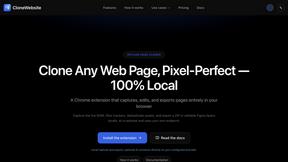
CloneWebsite
Clone any webpage pixel-perfect, export HTML/CSS/ZIP or React/Vue components.
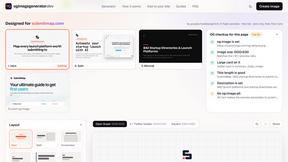
ogimagegenerator.dev
Paste a URL and AI designs on-brand Open Graph images from your page's colours, fonts and logo. Free, no sign-up.
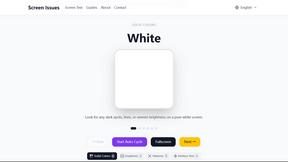
Screen Issues
Free Online Screen Test Tool - Instantly diagnose dead pixels, lines, color issues, and flickering. Multiple test modes, no download needed.
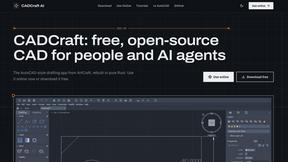
CADCraft
Free, open-source 2D CAD in Rust with layers, precision tools, and AI-ready MCP, JSON, and CLI automation.
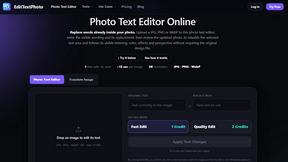
EditTextPhoto
AI-powered image text editor to edit, replace, fix, or translate text in images while preserving the original font, color, size, and style.