

RoomCreator
RoomCreator instantly transforms any photo into stunning AI interior designs with no skills required.
product Details
Explore More
Alternatives
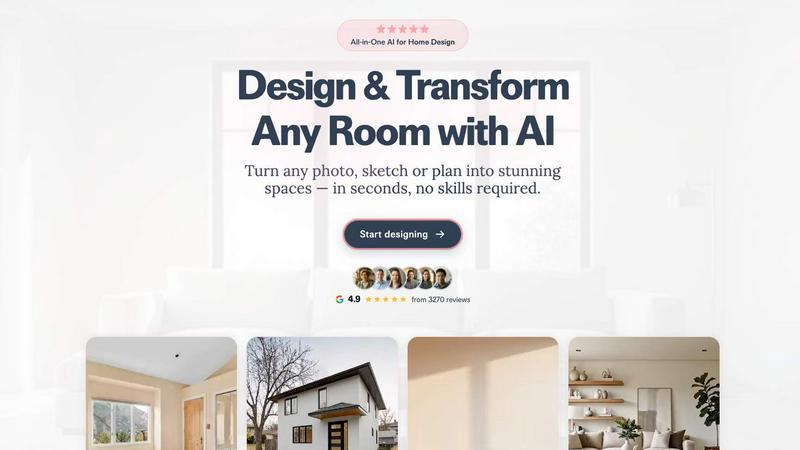
About RoomCreator
RoomCreator is an all-in-one AI-powered home design platform that empowers homeowners, DIY enthusiasts, and real estate professionals to visualize and transform any space with unprecedented speed and ease. At its core, RoomCreator allows users to upload a simple photo of a room—whether it's a kitchen, bedroom, living room, or exterior—and receive multiple, hyper-realistic redesigns in as little as 10 seconds. The platform eliminates the need for expensive design software or professional skills, making advanced visualization accessible to everyone. Its value proposition lies in enabling confident design decisions by allowing users to experiment with smart layout changes, new color palettes, furniture arrangements, and complete style makeovers before committing time or money to physical renovations. With a suite of specialized tools, RoomCreator caters to a wide audience, from individuals planning a home refresh to real estate agents staging properties and investors evaluating renovation potential. By turning sketches, photos, and ideas into stunning, photorealistic visuals and even motion videos, RoomCreator bridges the gap between imagination and reality, making it the simplest and most comprehensive AI design tool for bringing dream spaces to life.
Features
Instant Interior Redesign
This flagship feature allows users to upload a photo of any interior space and instantly generate professionally designed makeovers. The AI analyzes the room's dimensions and features, then applies a wide range of styles—from Modern and Scandinavian to Bohemian and Coastal—showing realistic changes to furniture, colors, lighting, and layouts. This provides a powerful visual tool to explore different design directions and make confident decisions without any manual design work.
Exterior Designer & Paint Visualizer
Specifically designed for curb appeal, this tool enables users to test exterior transformations using a single photo of their home's facade. Homeowners can visualize new paint colors, siding materials, roofing styles, and landscaping elements in a realistic context. This is invaluable for planning repainting projects, renovations, or enhancing a property's marketability for real estate listings, all before making any physical changes.
Precision Brush Editor (Inpaint Tool)
Offering granular control, the Brush Editor lets users make targeted changes without regenerating an entire image. By simply brushing over a specific area—like a piece of furniture, decor, or wall section—users can remove or replace only that element. This feature provides professional-level editing precision, allowing for fine-tuning of designs and experimentation with specific items while preserving the rest of the room's design.
Empty Room Generator & Sketch to Render
This dual-functionality tool addresses two key design starting points. First, it can instantly declutter any room photo by removing all furniture and objects, leaving a clean canvas of walls, floors, and windows. Second, it can transform a hand-drawn sketch or basic floor plan into a fully realized, photorealistic interior image. This is perfect for visualizing early concepts and planning from scratch, turning rough ideas into compelling visuals in seconds.
Use Cases
Home Renovation Planning
Homeowners can use RoomCreator to experiment with major renovation ideas or simple redecorating projects. By uploading a "before" photo, they can visualize new kitchen layouts, bathroom fixtures, living room furniture arrangements, and wall colors. This helps in making confident decisions, aligning vision with family members, and avoiding costly mistakes by seeing the potential outcome before purchasing materials or hiring contractors.
Real Estate Listing Enhancement
Real estate agents and property stagers can transform empty, cluttered, or outdated rooms into beautifully furnished and styled interiors. By creating attractive, realistic visuals, they can make listings stand out in competitive markets, help potential buyers envision themselves in the space, and ultimately attract more interest and potentially higher offers, all without the expense and logistics of physical staging.
Interior Design Concept Development
Aspiring decorators, DIY lovers, and even professional designers can use RoomCreator as a rapid prototyping tool. It allows for quick exploration of multiple design themes, color schemes, and furniture options for a client's space. This accelerates the concept phase, facilitates client presentations with realistic visuals, and streamlines the feedback process before finalizing a design plan.
Investment Property Analysis
Real estate investors and flippers can evaluate the renovation potential of a property. By uploading photos of a dated or vacant space, they can generate visuals of a modernized, upgraded interior or exterior to assess the aesthetic impact and estimated ROI of proposed improvements. These visuals are also powerful for presentations to partners, lenders, or potential buyers to showcase the future value.
Frequently Asked Questions
How does RoomCreator work?
RoomCreator uses advanced artificial intelligence and computer vision models. You start by uploading a photo of your room. The AI analyzes the image to understand the space's geometry, lighting, and existing elements. You then select a desired design style or use a specific editing tool. The AI generates a new, photorealistic image that reimagines your space according to your instructions, typically in just 10 to 30 seconds, all within your web browser.
Do I need any design skills or software to use it?
No, absolutely no design skills or prior software experience are required. RoomCreator is built specifically for ease of use. The entire process is guided and automated—you just upload a photo and choose an option. The platform is web-based, so there is no complex software to download or install, making it accessible from any computer or tablet with an internet connection.
What kind of photos can I upload?
You can upload a wide variety of images. The platform works well with clear photos of your existing room, but it is also designed to handle less-than-perfect inputs like messy rooms, pixelated images, or even rough hand-drawn sketches and floor plans. For best results, a well-lit photo that clearly shows the room's corners and boundaries is recommended.
Is RoomCreator free to use?
Yes, RoomCreator offers a free trial to start. New users typically receive free credits (e.g., 10 credits as mentioned) to test the core features without needing to enter credit card information. This allows you to generate several AI redesigns and experiment with the tools. For continued or high-volume use, various paid subscription plans are available that offer more credits and access to advanced features.
Similar to RoomCreator

Novastart
Apps and files on an infinite canvas where people and AI agents work together.

Egmatic
Egmatic is a no-code editor for 2D games that takes a project from first scene to published build, with no backend work.


Interview Screener- Ai hiring Software
AI hiring platform to screen resumes, run 10-language voice interviews, and rank top talent automatically.



PDFKing
Free online PDF tools to merge, compress, convert, edit, sign, and manage documents—no signup, watermarks, or daily limits.