

Sprite-AI
Sprite-AI turns your text prompts into pixel-perfect game sprites instantly with no drawing skills required.
product Details
Explore More
Alternatives

About Sprite-AI
Sprite-AI is an AI-powered pixel art generator designed to streamline the creation of 2D game assets for indie game developers, hobbyists, and prototypers. The platform allows users to describe a sprite in plain English, and the AI produces a clean, game-ready pixel art image in standard sizes of 32x32, 64x64, or 128x128 pixels. These sprites are correctly sized for specific roles such as icons, items, characters, or hero and boss art. Once a sprite is generated, a built-in pixel editor provides essential tools for painting, erasing, filling, and color-picking, enabling users to fine-tune every pixel before export. The final output is a transparent PNG file that integrates directly into popular game engines like Unity, Godot, GameMaker, and Unreal. Sprite-AI also features a community gallery for inspiration, prompt guides to help users craft effective descriptions, and a token-based pricing model that ensures users only pay for what they generate. The platform is built for speed and simplicity, eliminating the need for drawing skills and allowing anyone to turn their ideas into pixel art in seconds.
Features
AI Sprite Generator
The core feature of Sprite-AI is its AI-powered generator that converts plain English descriptions into pixel art sprites. Users simply type what they imagine, such as "fire-breathing dragon with red scales" or "knight with sword and shield," and the AI produces a game-ready sprite within seconds. The generator supports three standard sizes: 32x32, 64x64, and 128x128 pixels, each optimized for different game roles like icons, items, characters, or hero and boss art. This eliminates the need for any drawing skills, making pixel art accessible to developers and creators of all skill levels.
Built-in Pixel Editor
After generation, users can refine their sprites using the integrated pixel editor. This tool includes essential functions such as paint, erase, fill, and color-pick, allowing for precise adjustments at the pixel level. Whether you need to tweak a color, fix a small detail, or add your own creative touch, the editor provides intuitive controls that feel like magic. This feature ensures that every sprite can be customized to meet specific artistic requirements before final export.
Seamless Game Engine Export
Sprite-AI generates sprites as transparent PNG files that are ready to drop directly into popular game engines including Unity, Godot, GameMaker, and Unreal. The export process is straightforward, with no additional conversion steps required. This seamless integration saves developers significant time during asset pipeline workflows, allowing them to focus on game development rather than asset preparation.
Community Gallery and Prompt Guides
The platform includes a community gallery where users can browse and explore sprites created by others for inspiration and ideas. Additionally, Sprite-AI provides prompt guides that help users craft effective descriptions to achieve desired results. These guides cover best practices for specifying colors, themes, and styles, enabling users to maximize the AI's capabilities and generate higher quality sprites consistently.
Use Cases
Indie Game Development
Indie game developers often face tight budgets and limited art resources. Sprite-AI enables them to rapidly generate 2D sprites for characters, enemies, items, and environments without hiring a pixel artist. For example, a developer working on a retro-style RPG can describe a "medieval knight with silver armor" and receive a 128x128 sprite ready for animation and integration into Unity or Godot. This accelerates prototyping and reduces time to market for indie projects.
Game Jams and Hackathons
Game jams require participants to create complete games within a short timeframe, often 48 to 72 hours. Sprite-AI is ideal for these events because it generates pixel art in seconds, allowing developers to focus on gameplay mechanics and level design. Participants can quickly produce sprites for player characters, obstacles, and power-ups, ensuring they have a cohesive visual style without spending hours on manual pixel art creation.
Hobbyist and Side Projects
Hobbyists creating small games or pixel art projects for fun can use Sprite-AI to bring their ideas to life without investing in expensive software or learning complex art tools. For instance, someone building a simple platformer can generate a "cute slime monster green and blue" sprite in 32x32 size and immediately use it in their project. The token-based pricing model ensures they only pay for what they generate, making it affordable for casual use.
Prototyping and Concept Art
Game designers and prototypers need to quickly visualize concepts to test gameplay mechanics or pitch ideas to teams. Sprite-AI allows them to generate sprites for different character types, weapons, and environmental elements on demand. A designer can describe a "flaming sword icon with orange glow" and receive a 64x64 sprite that can be used in a prototype to demonstrate combat systems or inventory interfaces.
Pricing
Sprite-AI offers three pricing tiers designed to accommodate different usage levels. The Starter plan at $5 per month is ideal for game jams and side projects, providing 8 game-ready sprites per month with community gallery sharing. The Creator plan is currently available at a launch discount of $8 per month (regularly $13, 38% off) and includes 20 unique sprites per month, PNG and SVG export formats, private generation, and uncensored outputs. The Studio plan is priced at $24 per month (regularly $39, 38% off) and includes 75 sprites per month for teams and serious production. All plans offer cancel anytime terms, and the discounted prices are locked in forever for the first 386 users.
Frequently Asked Questions
How does the AI sprite generator work?
The AI sprite generator uses natural language processing to interpret your plain English description and converts it into pixel art. You simply type what you want, such as "8-bit dragon with red scales breathing fire," select a size (32x32, 64x64, or 128x128), and the AI produces a game-ready sprite in seconds. The system is trained on thousands of pixel art examples to understand style, color, and composition.
Can I edit the sprites after they are generated?
Yes, Sprite-AI includes a built-in pixel editor that allows you to modify any generated sprite. The editor provides tools for painting, erasing, filling areas, and picking colors from the existing palette. This enables you to fine-tune details, adjust colors, or add personal touches before exporting the final sprite as a transparent PNG.
What game engines are supported for export?
Sprite-AI exports sprites as transparent PNG files that work with all major game engines, including Unity, Godot, GameMaker, and Unreal. The files are optimized for direct import without additional processing, ensuring compatibility with standard 2D asset pipelines. You can simply drag and drop the exported PNG into your project's asset folder.
How does the token-based pricing model work?
Sprite-AI uses a token-based system where you purchase a monthly plan that includes a set number of sprite generations. For example, the Starter plan provides 8 sprites per month, while the Creator plan offers 20 sprites per month. Unused tokens do not roll over, but you can upgrade or cancel your plan at any time. This model ensures you only pay for what you generate, making it cost-effective for both casual users and professional developers.
Similar to Sprite-AI
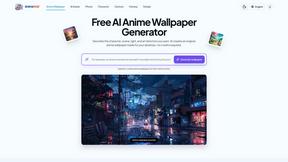
AnimeWall
Free AI anime wallpaper generator. Create original HD anime wallpapers and avatars from text prompts.
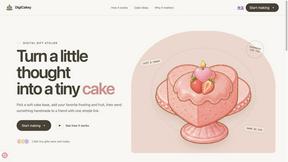
DigiCakey
Create and send personalized digital cakes with custom frosting, fruit, candles, cards, and drawings.


PerchanceAI
PerchanceAI is an AI creative studio for image generation, editing, background removal, product photos, and image-to-video creation.
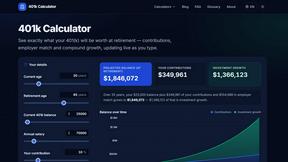
401k Calculator
401k Calculator.info is a free online tool to estimate retirement savings, employer match, and future 401(k) growth for smarter financial planning.
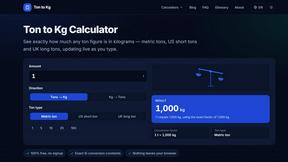
Ton to Kg Calculator
Ton To KG Calculator is a free online weight conversion tool that helps users instantly convert tons to kilograms with precision.

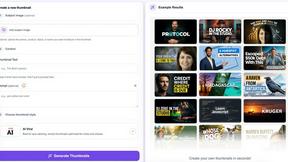
StopScroll
AI YouTube thumbnail maker that helps creators generate high-click thumbnails faster.