

Square Face Generator
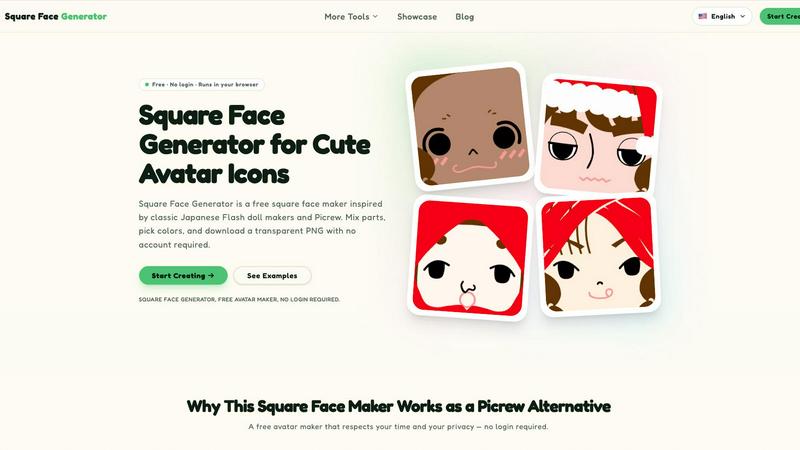
Square Face Generator is a free browser-based avatar maker that lets you mix parts, pick colors, and download transparent PNGs without any login.
About Square Face Generator
Square Face Generator is a free, browser-based avatar creation tool that specializes in generating charming square-shaped character faces. Inspired by classic Japanese Flash doll makers and the popular Picrew platform, this tool provides a comprehensive and intuitive experience for designing custom avatar icons without any cost or account registration. The core value proposition lies in its combination of extensive customization options, complete privacy, and effortless usability. Users can select from 12 distinct categories and over 200 individual parts, including skin tones, bangs, side hair, eyes, noses, mouths, eyebrows, eyelashes, blush, glasses, hats, and outfits. This vast library allows for millions of unique combinations, ensuring that every avatar can be truly personal and distinct. A key technical feature is that all rendering and processing occurs locally within the user's browser. This means no image data or personal information is ever uploaded to a server, providing complete peace of mind regarding privacy and data security. The tool is designed to be fully responsive and touch-friendly, functioning seamlessly on desktop computers, tablets, and smartphones. Its simple three-step process—choose parts, adjust colors, and save—makes it accessible to everyone, from casual users looking for a new social media profile picture to game developers needing quick character assets. Square Face Generator is a powerful, private, and completely free alternative for anyone seeking a high-quality, Picrew-style avatar maker focused on adorable square faces.
Features
Comprehensive Part Library
The tool offers an extensive library of over 200 customizable parts spread across 12 distinct categories. Users can mix and match items such as various eye shapes, hairstyles (including bangs and side hair), facial features (nose, mouth, brows, lashes), accessories (glasses, hats), and clothing (outfits). This depth of selection allows for the creation of millions of unique character combinations, ensuring high levels of personalization and creative expression.
Full Privacy and Local Processing
A standout feature is that Square Face Generator performs all image rendering and processing directly within the user's web browser. No data, including the final avatar or any chosen parts, is ever transmitted to an external server. This architecture guarantees complete user privacy, making it a safe and trustworthy tool for anyone concerned about their personal information and creative work being stored or analyzed online.
Instant Transparent PNG Export
Users can download their finished square avatar with a single click as a transparent 256x256 pixel PNG file. This format is ideal for immediate use across a wide range of platforms, including social media profile pictures, forum avatars, and game assets. The process is streamlined and requires no additional software or editing, providing a hassle-free way to obtain a ready-to-use icon.
Responsive and Touch-Friendly Design
The interface is built to be fully responsive, automatically adapting to different screen sizes and devices. Whether a user is on a desktop computer, a tablet, or a smartphone, the controls remain intuitive and easy to navigate. The tool is also optimized for touch input, making it convenient to use on mobile devices without the need for a mouse or keyboard.
Use Cases
Personal Social Media Avatars
Individuals can quickly design a unique and expressive profile picture for platforms like Discord, X/Twitter, Instagram, and TikTok. The square format is perfectly suited for these services, and the ability to create a custom, non-photographic avatar offers a way to maintain a degree of anonymity while still showcasing a distinct personality. The simple download process makes updating a profile picture effortless.
Game Development Placeholder Art
Indie game developers and hobbyists can use Square Face Generator to rapidly produce a large number of unique character portraits for NPCs or player avatars. The tool serves as an excellent source of placeholder art during the early stages of development, allowing teams to focus on gameplay and story without being delayed by the need for final, polished character assets. The transparent PNGs are easy to integrate into game engines.
Unified Team and Community Branding
Communities such as online guilds, school clubs, or corporate teams can use the tool to create a cohesive set of avatars. By agreeing on a base style or using similar color palettes, members can generate individual icons that share a common visual theme while still allowing for personal flair through different accessories and facial features. This fosters a sense of unity and belonging.
Creative and Educational Projects
The tool is well-suited for a variety of creative projects, including slideshow presentations, posters, stickers, and digital scrapbooking. Educators can use it to help students create characters for storytelling or language learning activities. The simple interface and instant download make it an accessible resource for anyone needing a quick, charming square character for non-commercial creative work.
Frequently Asked Questions
Is Square Face Generator really free to use?
Yes, Square Face Generator is completely free to use. There are no hidden costs, paywalls, or premium features that require payment. Every part, color option, and the ability to download your final avatar as a transparent PNG is available to all users without any charge or the need to create an account.
What size are the exported avatar images?
The tool exports your finished avatar as a 256x256 pixel PNG image. This square resolution is an ideal standard for many online platforms, including social media profile pictures, forum avatars, and game asset placeholders. The image is exported with a transparent background, making it easy to place on any colored backdrop.
Can I use the icons I create for commercial purposes?
The provided context does not specify a definitive commercial license. Users should check the official Terms of Service on the Square Face Generator website for the most accurate and up-to-date information regarding the commercial use of generated avatars. It is always best practice to review the legal terms of any tool for commercial projects.
Do I need to install any software to use it?
No installation is required. Square Face Generator runs entirely within your web browser. It is a web-based application that works on modern browsers without the need for any plugins or downloads. This makes it accessible from virtually any device with an internet connection, including desktops, tablets, and smartphones.
Does the tool work on mobile devices like tablets and phones?
Yes, the tool is fully responsive and touch-friendly. It is designed to work seamlessly on a variety of screen sizes, from large desktop monitors to small smartphone displays. The interface controls are optimized for touch input, allowing for easy part selection and color adjustment on mobile devices.
Is there a limit on how many avatars I can create and download?
There is no limit on the number of avatars you can create and download. You can use the tool as many times as you like to generate different characters. Since everything is processed locally in your browser, there are no server-side quotas or restrictions on your creative output.
How is this different from Picrew?
While inspired by Picrew, Square Face Generator is a standalone tool with its own unique set of parts and styles focused specifically on square faces. A key difference is that it operates entirely in the browser with all processing done locally, ensuring complete privacy. It is also completely free with no login required, unlike some aspects of the Picrew platform.
Similar to Square Face Generator

Dola AI
Create AI videos from text or images with Dola AI. Free starter credits, multiple video models, instant downloads, plus AI image generation.
Nano AI
Create and edit AI images, generate videos, and compare models in one creative workbench.
Screen Issues
Free Online Screen Test Tool - Instantly diagnose dead pixels, lines, color issues, and flickering. Multiple test modes, no download needed.
EditTextPhoto
AI-powered image text editor to edit, replace, fix, or translate text in images while preserving the original font, color, size, and style.
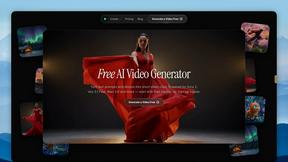
FreeVideoGenerator
Free AI video generator: turn text prompts and photos into video clips with Sora 2, Veo 3.1, Wan and more. Free starter credits, no watermark download
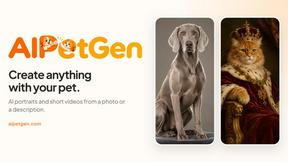
AIPetGen
AIPetGen turns a photo of your dog, cat, or other pet, or a written description, into a new picture or a short animation.
Artaivo
Create AI videos, images, avatars, and audio in one creative workspace.
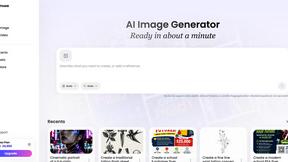
Vismuse
Create polished AI images and videos from prompts or references for social posts, ads, flyers, album covers, and campaigns.