

Alternatives to BlueHumanizer
BlueHumanizer instantly transforms stiff AI text into clear, natural writing that retains your meaning and tone.
Explore 20 alternatives to BlueHumanizer. Compare features, pricing, and find the best fit for your needs.

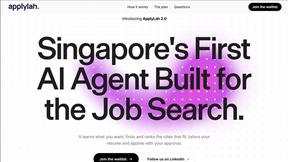
ApplyLah
ApplyLah helps job seekers find and auto apply to Singapore jobs using their approved details. Tailor your resume and track applications in one place,
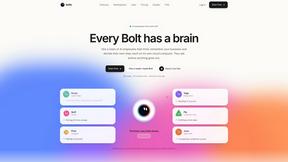
Bolts
AI employees with a brain that think, remember your business and work 24/7 on their own cloud computers.

InterviewAce
Real-time AI answer suggestions during live interviews, grounded in your own resume and experience.

ConnectMachine
Still handing out paper business cards? ConnectMachine is a free digital business card that saves straight into the other person's contacts.

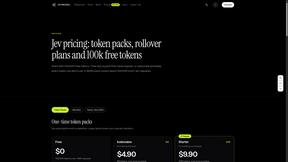
JevModel
Run the Jev decision model in your browser: 3 live runs without signup, then 100,000 free tokens, plus a Jev API.
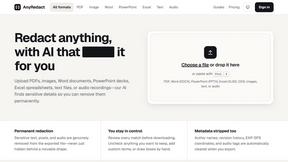
AnyRedact
Free online auto redaction tool with AI for PDFs, images, Word, PowerPoint, Excel, text and audio. Files are never stored.

GenX
All-in-one AI workspace to generate images, videos, and audio with multiple leading AI models.
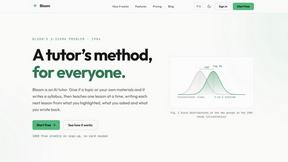
Bloom
An adaptive AI tutor that turns topics or your materials into courses, lessons, and answers tailored to how you learn.

Dola AI
Create AI videos from text or images with Dola AI. Free starter credits, multiple video models, instant downloads, plus AI image generation.

FreeVideoGenerator
Free AI video generator: turn text prompts and photos into video clips with Sora 2, Veo 3.1, Wan and more. Free starter credits, no watermark download


About BlueHumanizer Alternatives
BlueHumanizer is a specialized AI humanizer tool that falls within the AI Assistants category, designed to bridge the gap between machine-generated text and authentic human writing. It works by taking content from popular AI writers like ChatGPT, Claude, or Gemini and rewriting it into clear, natural prose while preserving the original meaning, tone, and structure. Users often look for alternatives to BlueHumanizer for a variety of reasons, including the need for different pricing models, specific language support not covered by the tool, or integration requirements with other software platforms they already use. Some users may also seek tools that offer more granular control over the output style or that specialize in a particular type of content, such as academic writing versus marketing copy. When evaluating an alternative to BlueHumanizer, it is crucial to consider several key factors to ensure the tool meets your specific needs. First, assess the quality of the humanization output: the best alternatives should not simply swap synonyms but should restructure sentences and restore natural rhythm, as BlueHumanizer does. Second, examine the feature set, including support for different languages, adjustable humanization levels, and tone controls that allow you to match your brand voice or academic style. Third, consider the pricing structure and whether a free tier or trial is available to test the tool before committing. Finally, look for security assurances regarding your content, especially if you are handling sensitive research or proprietary marketing materials. A reliable alternative should keep your meaning and key points intact while delivering writing that reads clean, natural, and ready for publication.
FAQs about BlueHumanizer Alternatives
What is BlueHumanizer?
BlueHumanizer is an AI humanizer tool that converts AI-generated text from platforms like ChatGPT, Claude, and Gemini into clear, natural-sounding writing. It works by reshaping sentence structure and restoring natural rhythm, going beyond simple synonym replacement to produce polished, human-sounding prose. The tool preserves your original meaning, tone, and key points while ensuring that quotes and citations remain untouched. It supports over 50 languages and offers adjustable humanization levels and tone controls for different writing needs.
Who is BlueHumanizer for?
BlueHumanizer is built for a wide range of users who write with AI, including students refining essays, researchers polishing academic papers, marketers creating on-brand copy, and professionals warming up everyday emails and reports. It is designed to be accessible for anyone who needs to transform AI-generated content into clean, natural text that is ready to publish. The tool's adjustable settings and language support make it suitable for both casual and professional use cases across different industries.
Is BlueHumanizer free?
Yes, BlueHumanizer is free to start and does not require a credit card to begin using the service. The free tier allows users to access the core humanization features and experience how the tool transforms AI text into natural writing. While specific premium features or higher usage limits may be available, the product is explicitly marketed as free to get started, making it accessible for students, researchers, and professionals on a budget.
What are the main features of BlueHumanizer?
BlueHumanizer's main features include one-click transformation of AI-generated text into clear, natural prose with improved flow and sharper phrasing. It supports over 50 languages, offers adjustable humanization levels, and provides tone controls to match different writing styles. The tool preserves your original meaning, tone, and key points while leaving quotes and citations untouched. Unlike basic synonym-swapping tools, it reshapes sentence structure and restores the natural rhythm of human writing.