

Alternatives to happy oyster
Happy Oyster is a real-time AI world model that lets you create immersive environments, wander through them, and direct the story as it unfolds.
Explore 20 alternatives to happy oyster. Compare features, pricing, and find the best fit for your needs.

Outstanding Tiny Desk AI
Upload photos of you and your friends and get a 15-second Outstanding Tiny Desk AI video with AI-generated sound, in 9:16 for TikTok and Reels.

Tip Toeing in My Jordans
Upload a photo and get a 12-second Tip Toeing in My Jordans video: you play the AI Rumpelstiltskin, a friend can play the woman in the hay.
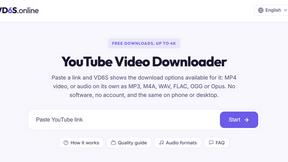
VD6S
VD6S is a free YouTube video downloader that supports HD, 4K and up to 8K downloads when available. Save videos in MP4 or audio in multiple formats.
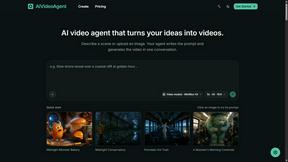
AIVideoAgent
AIVideoAgent helps you download generated MP4 clips for everyday visual work, in a browser-based creative workspace.
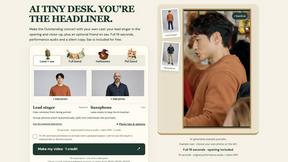
AI Tiny Desk
Make a 19-second desk-concert video with lead and sax, full band, Halloween or pet-band modes; audio and silent MP4.

Dola AI
Freemium AI creative studio: generate images and videos, edit photos and films, compose 3D scenes, and work with docs, sheets, slides and PDFs.
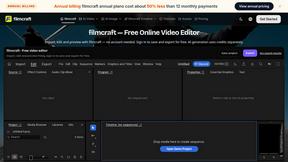
filmcraft
Free online video editor in your browser: import, color, audio and preview with no account. Optional AI tools use credits.
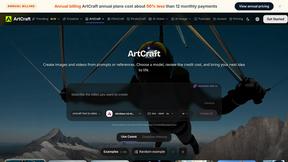
ArtCraft
Browser creative studio for images, video and 3D: compose, edit, stage scenes and organize references. AI generation uses credits.
GenX
All-in-one AI workspace to generate images, videos, and audio with multiple leading AI models.

Dola AI
Create AI videos from text or images with Dola AI. Free starter credits, multiple video models, instant downloads, plus AI image generation.
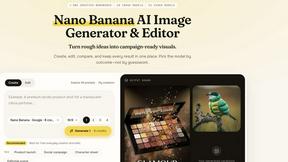
Nano AI
Create and edit AI images, generate videos, and compare models in one creative workbench.
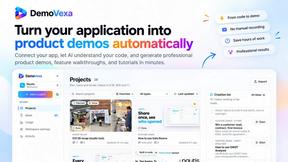
FreeVideoGenerator
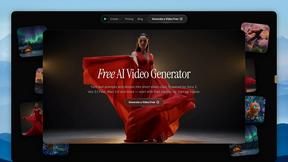
Free AI video generator: turn text prompts and photos into video clips with Sora 2, Veo 3.1, Wan and more. Free starter credits, no watermark download
AIPetGen
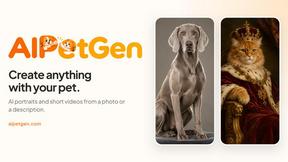
AIPetGen turns a photo of your dog, cat, or other pet, or a written description, into a new picture or a short animation.
Slide-Easy
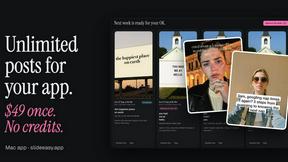
A Mac app that turns your App Store link into a week of Instagram Reels and carousels, written from your real reviews.

About happy oyster Alternatives
Happy Oyster is a specialized AI video creation platform that belongs to the rapidly growing category of generative video tools designed for creative professionals. Unlike many AI video generators that rely purely on text-to-video randomness, Happy Oyster offers two distinct operational modes: Director Mode for intentional, structured video creation and Wander Mode for exploring AI-generated 3D environments. Users often seek alternatives to Happy Oyster due to specific needs such as different pricing structures, the desire for higher resolution exports beyond 720p, longer video durations than the 15-second maximum, or platform-specific integrations for their existing workflows in marketing, e-commerce, or film production. When evaluating alternatives to Happy Oyster, you should prioritize tools that offer the level of creative control you require. Key considerations include the ability to upload reference images for style consistency, support for real-time preview to enable iterative editing, and clear commercial usage rights for your final outputs. Additionally, examine the export specifications such as supported aspect ratios, maximum video length, and resolution quality to ensure the tool aligns with your production standards. For those who prefer exploratory creativity, look for platforms that provide virtual environment navigation, while users focused on precision should seek robust parameters for directing subject, lighting, and camera motion.
FAQs about happy oyster Alternatives
What is happy oyster?
Happy Oyster is an independent AI video platform designed for creators who want control over their video generation, rather than relying on random outputs. It offers two primary modes: Director Mode for structured, intentional video creation with defined subject, lighting, and camera motion, and Wander Mode for freely exploring AI-generated 3D worlds. The platform supports reference image uploads for style consistency and provides export options at 720p resolution in various aspect ratios and durations of 5, 10, or 15 seconds.
Who is happy oyster for?
Happy Oyster is built for a range of professional users including marketers who need to turn briefs into video drafts quickly, e-commerce teams wanting to animate product photos, and content creators prototyping social media hooks and reels with precision. It is also suited for artists blocking scenes and testing visual tone during pre-production. The platform emphasizes intentional control, making it ideal for users who require consistent, directed outputs rather than purely generative randomness.
Is happy oyster free?
Yes, Happy Oyster offers a free starting tier that provides 500 credits upon sign-up with no credit card required. This allows new users to explore the platform's features and generate initial videos without financial commitment. For extended use, users may need to purchase additional credits or subscribe to a paid plan, though the specific pricing for higher tiers is not detailed in the provided content.
What are the main features of happy oyster?
The main features of Happy Oyster include two distinct modes: Director Mode for purposeful video creation with controls over subject, environment, lighting, camera motion, and action, and Wander Mode for navigating AI-generated 3D worlds in first- or third-person view. It supports reference image uploads to anchor visual style and offers real-time preview for iterative creation. Export options include 5, 10, and 15-second clips at 720p resolution with multiple aspect ratios, and the platform provides transparent credits and commercial usage rights subject to terms.