

Caption.IM
Caption.IM turns any audio on your Mac into real-time captions, translations, and summaries with local privacy.
product Details
Explore More
Alternatives

About Caption.IM
Caption.IM is a privacy-first, real-time AI captioning assistant built exclusively for macOS. It transforms any audio emanating from your Mac into live, on-screen subtitles, instant translations, audio recordings, and structured meeting notes. The core value proposition lies in its ability to capture system audio directly, eliminating the need for browser extensions or intrusive meeting bots. This means it works seamlessly across virtually any application, including Zoom, Google Meet, Microsoft Teams, YouTube, online courses, podcasts, livestreams, webinars, and pre-recorded video files. Designed for professionals, students, content creators, and accessibility advocates, Caption.IM enhances productivity and information equity by making every conversation searchable and translatable. The application is optimized for Apple Silicon (M1, M2, M3, and later) to deliver ultra-fast speech recognition with minimal latency and efficient power usage. A key differentiator is its commitment to local processing: all speech recognition and AI summarization can run entirely on your device, ensuring your conversations remain private and never leave your Mac. This approach provides a frictionless user experience with an elegant, transparent floating subtitle window that integrates smoothly with the macOS interface, allowing users to focus on content without visual clutter.
Features
Real-Time Transcription
Caption.IM generates live captions for any audio source on your Mac. Whether you are in a video call, watching a recorded lecture, or listening to a podcast, the application provides accurate, real-time subtitles that appear in a floating, transparent window. This feature is crucial for following fast-paced conversations, catching every detail in noisy environments, and ensuring you never miss a critical point. The transcription engine is optimized for Apple Silicon, delivering minimal latency and high accuracy.
Instant Translation
Break down language barriers with real-time translated subtitles. Caption.IM can translate spoken content from multiple languages into your preferred language, displaying the translation alongside or in place of the original transcription. This is invaluable for multilingual teams, international webinars, and consuming foreign-language media. The translation is processed locally on your device, maintaining privacy and speed without relying on cloud servers.
AI Meeting Summaries
After a conversation, Caption.IM automatically generates structured summaries, key points, action items, and even mind maps. This feature transforms long discussions into concise, actionable knowledge. Instead of manually reviewing hours of recordings, you can instantly access a clear, organized recap of what was discussed, decisions made, and next steps required. This dramatically improves post-meeting productivity and information retention.
Floating Subtitle Window
The application features an elegant, transparent overlay that works seamlessly with the macOS interface. This floating window can be positioned anywhere on your screen and stays on top of other applications, allowing you to read captions while continuing to work in other windows. The design is minimalist and unobtrusive, ensuring it does not distract from your primary task while providing essential real-time text.
Use Cases
Remote Meetings and Video Conferencing
For professionals who spend their days in Zoom, Google Meet, or Microsoft Teams, Caption.IM provides live subtitles for every participant. This is essential for team members in noisy environments, those with hearing difficulties, or non-native speakers who need to follow complex discussions. The AI summary feature then automatically generates meeting notes, action items, and key takeaways, saving hours of manual note-taking and ensuring nothing is forgotten.
Online Learning and Educational Content
Students and lifelong learners can use Caption.IM to add real-time captions to online courses, webinars, and recorded lectures. This improves comprehension, especially for technical or fast-paced material. The ability to record audio and generate searchable transcripts allows for easy review and study. Furthermore, instant translation helps learners access content in languages they are not fluent in, broadening educational opportunities.
Multilingual Team Collaboration
In global organizations where team members speak different languages, Caption.IM acts as a real-time interpreter. It translates spoken conversations during meetings, ensuring everyone understands the discussion regardless of their native language. This fosters more inclusive communication, reduces misunderstandings, and accelerates decision-making across international teams. The local processing ensures sensitive business conversations remain confidential.
Content Creation and Research
Content creators, podcasters, and journalists can use Caption.IM to generate accurate transcripts of interviews, brainstorming sessions, and raw audio recordings. These transcripts can be used for show notes, articles, video subtitles, or research documentation. Researchers can capture and analyze spoken data from interviews or focus groups, turning audio into searchable, quotable text for their work. The floating window allows them to work in other applications while monitoring the transcription.
Frequently Asked Questions
Does Caption.IM work with all applications on my Mac?
Yes, Caption.IM captures system audio directly, meaning it works with virtually any application that produces sound. This includes video conferencing tools like Zoom, Google Meet, and Microsoft Teams, as well as web browsers (YouTube, online courses, podcasts), media players, and any other app that outputs audio. There is no need for browser extensions or meeting bots.
Is my data private when using Caption.IM?
Absolutely. Caption.IM is built with a privacy-first architecture. All speech recognition, translation, and AI summarization can run locally on your Mac, specifically optimized for Apple Silicon. Your audio and transcriptions never leave your device unless you choose to share or export them. No bots join your meetings, and no data is sent to external servers for processing.
What are the system requirements for Caption.IM?
Caption.IM requires macOS 15.6 or later and is optimized for Apple Silicon (M1, M2, M3, and later). The application is 18.1 MB in size and is designed for efficient power usage on these chips. It is available in English and is categorized as a productivity tool on the Mac App Store.
How does the AI meeting summary feature work?
After a conversation or meeting, Caption.IM automatically analyzes the transcribed text to generate a structured summary. This includes key points, action items, and can even create mind maps. The AI processes the data locally on your device, ensuring privacy. You can then review, copy, or export these summaries for easy reference, eliminating the need to manually review long recordings.
Similar to Caption.IM

iHatePosting
Create once, tailor for each platform, and schedule posts across 14 social networks from one simple dashboard.

PDFWix
PDFWix is a free online PDF toolkit designed to make everyday PDF tasks simple, fast, and private.
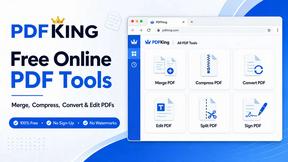
PDFKing
Free online PDF tools to merge, compress, convert, edit, sign, and manage documents—no signup, watermarks, or daily limits.



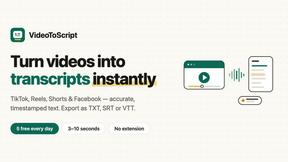
VideoToScript
Turn TikTok, Reels, Shorts, Facebook videos, audio, and video into accurate timestamped transcripts with TXT, SRT, and VTT exports.
