

Alternatives to Caption.IM
Caption.IM turns any audio on your Mac into real-time captions, translations, and summaries with local privacy.
Explore 20 alternatives to Caption.IM. Compare features, pricing, and find the best fit for your needs.

iHatePosting
Create once, tailor for each platform, and schedule posts across 14 social networks from one simple dashboard.

PDFWix
PDFWix is a free online PDF toolkit designed to make everyday PDF tasks simple, fast, and private.
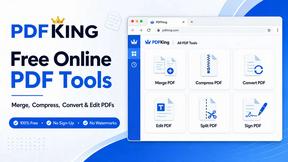
PDFKing
Free online PDF tools to merge, compress, convert, edit, sign, and manage documents—no signup, watermarks, or daily limits.



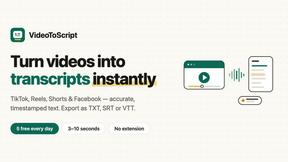
VideoToScript
Turn TikTok, Reels, Shorts, Facebook videos, audio, and video into accurate timestamped transcripts with TXT, SRT, and VTT exports.


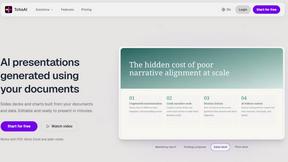

Wisegrid
Wisegrid helps project-driven teams manage projects, workflows, resources, and reporting in a familiar spreadsheet-style workspace.


Postqued
Schedule and publish social content across 10 platforms with one dashboard, API, and MCP built for teams and AI agents.


401k Calculator
401k Calculator.info is a free online tool to estimate retirement savings, employer match, and future 401(k) growth for smarter financial planning.

Ton to Kg Calculator
Ton To KG Calculator is a free online weight conversion tool that helps users instantly convert tons to kilograms with precision.

ihatepdf.cv
ihatepdf.cv is a privacy-first, browser-based PDF platform that provides an extensive suite of tools for editing, converting, compressing, organizing,

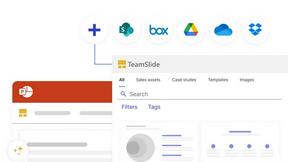
TeamSlide
TeamSlide lets your team build on-brand presentations instantly by syncing approved slides from your content system directly into PowerPoint.

Context Bolt
Context Bolt provides MCP-native tools that let your AI agents access and search your bookmarks, SEO data, and competitor insights with a single line.
About Caption.IM Alternatives
Caption.IM is a real-time AI captioning assistant designed specifically for macOS, falling under the Productivity and Management software category. Its core function is to convert any audio from your Mac into live captions, instant translations, and structured meeting summaries, all processed locally on your device for enhanced privacy. While it offers powerful features for accessibility and information management, users often look for alternatives due to its macOS-only limitation, specific pricing structures, or the need for cross-platform compatibility across Windows or Linux systems. Others might seek tools with deeper integration into non-standard meeting platforms, more extensive translation language support, or different approaches to note-taking and summarization that better fit their unique workflow. When evaluating alternatives to Caption.IM, it is essential to consider your primary operating system and the applications you use most frequently. Look for a solution that captures audio from the sources you rely on, whether that is system-wide audio, specific browser tabs, or dedicated conferencing software. Privacy and processing location are also critical factors; decide whether you are comfortable with cloud-based processing or require a local, on-device solution. Finally, assess the output formats and features that matter most to you, such as real-time captioning accuracy, translation quality, the structure of generated summaries, and the ability to export recordings, to ensure the tool genuinely enhances your productivity and accessibility.
FAQs about Caption.IM Alternatives
What is Caption.IM?
Caption.IM is a privacy-first AI captioning assistant built exclusively for macOS. It captures system audio directly to provide real-time captions, instant translations, and structured meeting notes, all processed locally on your device. Unlike browser extensions or meeting bots, it works across nearly any application, including Zoom, Google Meet, YouTube, and podcasts, without requiring any bots to join your conversations.
Who is Caption.IM for?
Caption.IM is designed for macOS users who need to improve productivity, accessibility, and information equity in their daily audio consumption. This includes professionals in remote meetings, students attending online courses, individuals who are deaf or hard of hearing, and anyone who needs to translate multilingual content in real time. It is also ideal for users who prioritize privacy and prefer not to have third-party bots join their conversations.
What are the main features of Caption.IM?
The main features of Caption.IM include real-time AI captioning for any audio on your Mac, instant translations for multilingual content, and the ability to record important audio. It also transforms long discussions into clear summaries, key points, action items, and mind maps. All of these functions are powered locally on your device, ensuring privacy and eliminating the need for browser dependency or complicated setup.
Is Caption.IM secure?
Yes, Caption.IM is built with a strong emphasis on privacy and security, operating as a privacy-first tool. It processes all audio and data locally on your Mac using Local AI and Local LLMs, meaning your conversations never leave your device. There are no bots joining your meetings, and no cloud dependency, which helps you keep your sensitive discussions completely private.