

Tagada
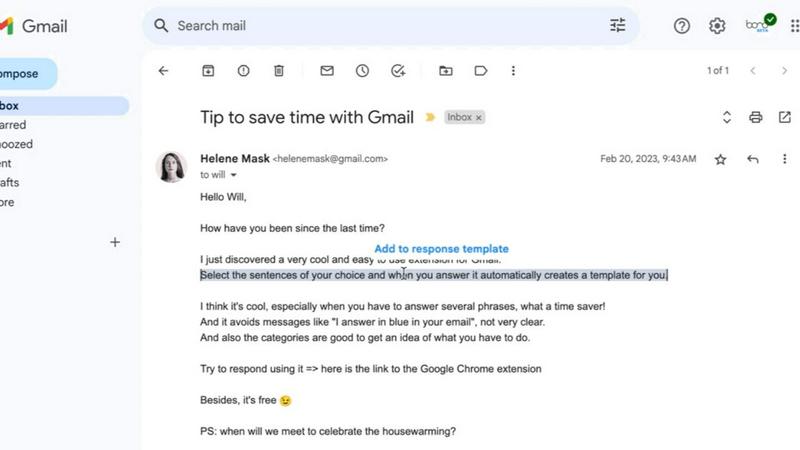
Tagada parses Gmail into clickable sentences for highlighting and tagging, keeping all email data local and private.
product Details
Explore More
Alternatives
About Tagada
Tagada is a browser extension designed to transform how professionals read and reply to emails directly within Gmail, all while ensuring complete data privacy. Unlike traditional methods that often require writing replies in colored text inside the original message, Tagada parses incoming emails into clickable, selectable sentences. This allows users to highlight, tag, and organize key information by category with a single click. The extension then generates a clean reply template built around the points that matter, helping users respond faster and more clearly. The core value proposition is that all processing happens 100% locally on the user's device. There is no AI, no cloud, and no third-party server involved, meaning your emails never leave Gmail. Tagada is ideal for professionals, support teams, freelancers, consultants, and anyone managing long email threads. It cuts response time, structures replies, and keeps your data fully private. By eliminating the need to switch to a new tool, Tagada seamlessly integrates into your existing Gmail workflow, making email management more efficient and organized.
Features
Instant Email Parsing
Tagada instantly breaks down complex, multi-paragraph emails into a list of individual, clickable sentences. This feature eliminates the need to manually scan through long blocks of text to find the key points. By parsing the email content, it makes the information more digestible and easier to manage, allowing you to quickly identify the most important parts of the message.
One-Click Highlighting and Tagging
Once an email is parsed, users can highlight any sentence and tag it with a specific category, such as "Action Item," "Question," or "Key Information." This one-click system allows for rapid organization of thoughts and priorities. It transforms a chaotic inbox into a structured list of tasks and data points, ensuring nothing important is overlooked during the reply process.
Auto-Generated Reply Templates
After highlighting and tagging the relevant sentences, Tagada automatically generates a clean reply template. This template is built around the points you selected, providing a structured framework for your response. This feature saves significant time by removing the need to manually compose a reply from scratch, ensuring your answer is organized and directly addresses the key topics from the original email.
100% Local and Private Processing
Tagada processes all email data entirely on your local computer. No information is ever sent to the cloud, to Tagada's servers, or to any third-party AI service. This ensures complete privacy and data security, giving users peace of mind that their sensitive communications remain under their control. Your emails never leave the Gmail environment.
Use Cases
Streamlining Customer Support Responses
Customer support teams often handle long, detailed emails with multiple issues. Tagada allows an agent to parse the email, highlight each distinct problem or question, and tag them by priority or category. The auto-generated reply template then helps the agent craft a structured response that addresses each point individually, ensuring no customer concern is missed and improving overall response quality and speed.
Enhancing Freelancer and Consultant Communication
Freelancers and consultants frequently receive emails containing project briefs, feedback, and action items. Tagada enables them to quickly parse these emails, highlight key deliverables, deadlines, and client requests, and tag them for easy reference. This structured approach helps professionals respond with clear, organized replies that confirm understanding and outline next steps, reducing the risk of miscommunication.
Managing Complex Internal Team Threads
For professionals managing long internal email threads with multiple participants, Tagada is invaluable. It can parse a lengthy chain, allowing the user to highlight decisions, assigned tasks, and important dates. By tagging these elements, the user can generate a summary reply that consolidates the thread's action points, ensuring everyone is aligned and accountable without having to re-read the entire conversation.
Improving Executive Email Efficiency
Executives often receive a high volume of emails that require quick, decisive responses. Tagada helps by instantly parsing incoming messages and allowing the executive to highlight the single most critical point or request. The auto-generated template provides a starting point for a concise reply, enabling faster decision-making and clearer communication without getting bogged down in extraneous details.
Pricing
Tagada can be used without a paid license. However, you will be limited in terms of functionality. For a better experience, we suggest you purchase a license. For specific pricing plans and tiers, please visit the official Tagada website.
Frequently Asked Questions
Is Tagada free?
Tagada can be used without a paid license. However, the free version is limited in terms of functionality. For a better experience with full access to all features, we suggest you purchase a license.
What data do you collect?
We only collect essential data to enhance your experience: your first name, email address, and language preference. We respect your privacy and do not collect any unnecessary information about your email content or usage habits.
Do you send our emails to your servers?
No, your emails are never sent to our servers. Everything remains local on your device. At Tagada, we make sure that your data stays private and under your control at all times.
Some emails get broken, how can I fix it?
If your emails appear to be corrupted or disorganized, the best solution is to disable the extension, reply to your emails, and then re-enable it. Some emails may have a specific structure that the extension is unable to parse.
Similar to Tagada

Uniclip
Clip pages, take full-page screenshots and batch-capture list data to Notion, Feishu, Obsidian, Markdown, CSV or JSON.
TroveKey
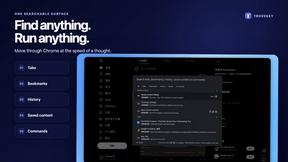
Search tabs, Chrome bookmarks and history, run browser commands, and save webpages and social posts locally—no account.
Todowing
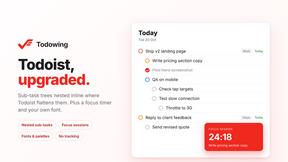
Chrome extension that nests Todoist sub-tasks under their parents in Today, Upcoming, filters and labels. Adds a focus timer and themes.
LightScreen
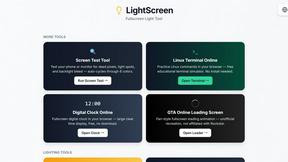
Free light screen tool online. Turn any display into a flashlight, ambient light, or solid-color screen. No download or sign-up.

FreeVideoGenerator
Free AI video generator: turn text prompts and photos into video clips with Sora 2, Veo 3.1, Wan and more. Free starter credits, no watermark download
Novastart
Apps and files on an infinite canvas where people and AI agents work together.
ButterShare
ButterShare is a browser-based peer-to-peer file transfer tool that lets you send large files and folders directly between devices without signup or c