

Unifyca
Unifyca centralizes WordPress site documentation, credentials, maintenance, and backups to give your agency complete control over every client.
product Details
Explore More
Alternatives

About Unifyca
Unifyca is a comprehensive WordPress website management platform specifically designed for agencies, freelancers, and IT professionals who oversee multiple client websites. The core problem Unifyca solves is the fragmentation of website management tasks across dozens of separate WordPress dashboards, spreadsheets, email threads, and chat messages. Instead of logging into each client site individually to perform maintenance checks, updates, or backups, Unifyca provides a single centralized workspace where users can manage all their client websites simultaneously. The platform combines two essential functions into one cohesive tool: proactive website maintenance and centralized website documentation. For maintenance, users can connect their WordPress sites, run automated audits to detect outdated plugins, themes, and core versions, apply safe fixes remotely, schedule or create manual backups, monitor uptime, and generate professional white-label maintenance reports. For documentation, Unifyca serves as the single source of truth for every client website, storing hosting accounts, domains, FTP and SSH access details, email settings, SSL certificates, credentials, brand assets, project notes, and technical information. The platform is built to help agencies reduce manual work, improve operational consistency, document every client website thoroughly, and deliver professional maintenance services at scale. Unifyca replaces reactive maintenance workflows with a predictable, proactive cycle that ensures every client site receives consistent attention and care.
Features
Website Maintenance Automation
Unifyca enables users to connect their WordPress sites using the Unifyca Audit Connector and manage them from a single dashboard. The platform automatically scans every connected site for outdated plugins, themes, and WordPress core versions, as well as security risks, configuration issues, uptime problems, and SEO warnings. Users can then apply safe fixes remotely from the Fix Center, applying updates and maintenance actions in bulk across multiple sites without ever needing to log into a single WordPress admin dashboard. This feature dramatically reduces the time spent on routine maintenance tasks.
Scheduled and Manual Backups
Users can create both manual and scheduled backups for all client WordPress sites directly from the Unifyca platform. The backup system provides a clear history of when backups were taken and which sites are currently protected. This feature is particularly valuable before applying updates or fixes, as it ensures users always have a restore point available. The backup history is automatically logged per site, giving users complete visibility into their backup coverage and enabling confident maintenance workflows.
Automated Maintenance History and Logging
Every update, fix, check, and backup performed through Unifyca is automatically logged per site. This feature eliminates the need for manual journaling or note-taking, as the platform maintains a complete, timestamped record of all maintenance activities. Users can easily review what was done, when it was performed, and on which client website. This automated logging provides full transparency and accountability, which is essential for agencies managing multiple client relationships.
White-Label Client Reports
Unifyca automatically compiles all maintenance activities from the month into a clean, client-friendly report. Users can customize these reports with their own logo, brand colors, and company information, with zero Unifyca branding visible. This feature transforms technical maintenance logs into professional, understandable proof of value that clients can easily comprehend. It is designed to help agencies justify recurring maintenance fees and demonstrate the ongoing value of their services, making client renewals more straightforward.
Use Cases
Managing Multiple Client WordPress Sites for Agencies
A digital agency managing 30 or more client WordPress sites can use Unifyca to eliminate the chaos of logging into each site individually. The agency can connect all client sites, run automated audits every morning to identify which sites need attention, apply updates in bulk, and schedule regular backups. The centralized documentation ensures that every team member has access to the correct credentials and technical notes for each client, eliminating the risk of lost information or miscommunication. The white-label reports provide a professional way to show each client the value of the agency's maintenance services.
Freelance Web Developer Handling Diverse Projects
A freelance web developer with multiple ongoing projects can use Unifyca to maintain organization and consistency across different clients. Instead of storing credentials in spreadsheets or personal files, the developer can securely store all website documentation in one place. The automated maintenance logging ensures that even months later, the developer can quickly recall what updates were applied to a specific site. The backup feature provides peace of mind when making changes, and the white-label reports help the freelancer present a professional image to clients without revealing the tools used behind the scenes.
IT Professional Providing Managed WordPress Services
An IT professional offering managed WordPress maintenance as a service can use Unifyca to deliver a predictable, reliable workflow to clients. The platform allows the IT professional to proactively identify and fix issues before clients notice them, shifting from reactive support to proactive maintenance. The centralized documentation for hosting, domains, SSL certificates, and credentials ensures that the IT professional has complete context for each client website. The renewal and SSL alerts help prevent costly downtime by notifying the professional before domain or SSL certificates expire.
Team Collaboration on Client Website Projects
A team of developers, project managers, and account managers working on client websites can use Unifyca as their single source of truth. Developers can access the technical documentation and credentials they need without interrupting colleagues. Project managers can review maintenance history to understand what work has been performed. Account managers can generate white-label reports to share with clients. The platform ensures that everyone works from the same reliable information, eliminating the hidden knowledge that often exists in emails, WhatsApp conversations, or personal files.
Frequently Asked Questions
How does Unifyca connect to my client WordPress sites?
Unifyca uses a lightweight plugin called the Unifyca Audit Connector that you install on each client WordPress site. Once installed and linked to your Unifyca account, the connector enables the platform to perform audits, apply updates, and manage backups remotely. The setup process is straightforward and designed to be bulk-friendly for agencies onboarding many sites at once. No complex API configurations or manual data entry is required for each site.
Is my client data and credentials secure in Unifyca?
Yes, Unifyca is built with security as a priority for storing sensitive client information. The platform provides a secure credentials vault where you can store WordPress, FTP, SSH, hosting, domain, database, email account, plugin, theme, and API credentials. All credentials are securely linked to the correct client and website, ensuring that sensitive information is protected and only accessible to authorized team members. The platform follows industry best practices for data encryption and access control.
Can I customize the client maintenance reports with my own branding?
Absolutely. Unifyca offers white-label reporting that allows you to generate maintenance reports with your own logo, brand colors, and company information. There is zero Unifyca branding on these reports, so your clients see only your brand. The reports automatically compile all maintenance activities from the month, including updates applied, issues fixed, and uptime checks, into a clean, professional format that clients can easily understand and value.
Does Unifyca support team collaboration and multiple users?
Yes, Unifyca is designed for teams. You can group every WordPress site by client and project, with contacts, notes, and context attached to the work you do for them. The shared knowledge feature ensures that everyone on your team works from the same reliable information, eliminating the problem of credentials, technical notes, or project knowledge being hidden in emails, WhatsApp conversations, or personal files. This makes onboarding new team members faster and reduces the risk of errors caused by miscommunication.
Similar to Unifyca
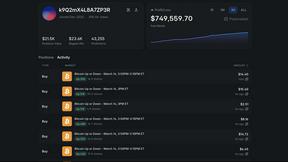
Polymarket Trading Bot For Crypto
Automate high-frequency arbitrage and directional trading on Polymarket's 5-15 minute crypto markets using a transparent, locally-run bot with proven.

Shadcn Examples
Shadcn Examples offers a collection of reusable React and Tailwind UI components and templates for building web apps efficiently.