

product Details
Explore More
Alternatives
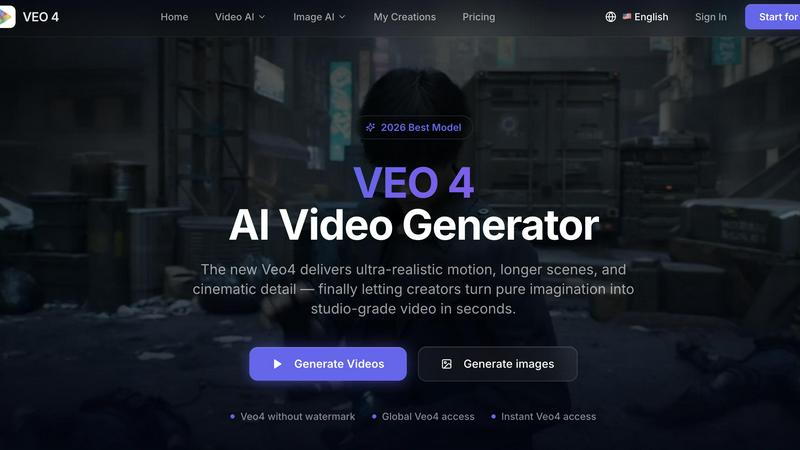
About Veo 4 video generator
Veo 4 is a cutting-edge AI video generator that enables creators, marketers, and brands to transform their ideas into high-quality video content in mere seconds. Unlike conventional AI video tools that often produce mediocre and shaky outputs, Veo 4 is engineered to deliver ultra-realistic motion, longer scenes, and cinematic detail that meet professional standards. The tool offers three primary creation pathways: text to video, image to video, and video to video. This versatility allows users to start from a straightforward text prompt, a static image, or an existing video clip, converting them into polished, ready-to-export footage. Designed for speed and clarity, Veo 4 is particularly beneficial for marketing and creative teams that need to generate initial drafts swiftly, compare different variations, and bridge the gap between concepts and finished media. Whether focusing on product launches, social media ads, branded storytelling, or short-form content, Veo 4 provides smoother motion, cleaner framing, and more intentional scenes. Additionally, it accommodates longer clips, making it ideal for narrative sequences and campaign concepts, with seamless exports that integrate directly into editing workflows or landing pages. With global accessibility and no watermarks on outputs, Veo 4 stands as a viable, production-ready solution for anyone seeking to create compelling video content quickly and effectively.
Features
Text to Video
Veo 4 allows users to create videos directly from text prompts. This feature simplifies the creative process by transforming written ideas into visual content, enabling teams to explore concepts and generate engaging videos effortlessly.
Image to Video
With the image to video functionality, users can upload still images and have them animated into dynamic video content. This feature is particularly useful for marketers and brands looking to bring static visuals to life, captivating their audience more effectively.
Video to Video
The video to video feature lets users take existing video clips and enhance or restyle them without starting from scratch. This functionality is crucial for teams that want to improve pacing, motion, and overall quality of their current footage, making it more polished.
Longer Clips and Clean Exports
Veo 4 supports the creation of longer video clips suitable for narrative sequences and campaign concepts. The tool ensures clean exports that are easy to integrate into editing software or digital platforms, streamlining the post-production workflow.
Use Cases
Marketing Campaigns
Veo 4 is ideal for creating compelling marketing videos that can be used in campaigns. Whether launching a product or promoting a brand message, the tool helps produce eye-catching videos quickly, enhancing engagement.
Social Media Content
For teams focused on social media, Veo 4 facilitates rapid video creation tailored for platforms like Instagram and TikTok. The ability to generate short, impactful videos helps brands maintain a consistent online presence and engage their audience.
Branded Storytelling
Companies can leverage Veo 4 to craft narrative-driven videos that tell their brand story. This use case is essential for building emotional connections with customers and enhancing brand loyalty through effective visual storytelling.
Product Explainers
Veo 4 is a valuable tool for developing product explainer videos. By transforming concepts into engaging visual content, teams can effectively communicate product features and benefits, making it easier for potential customers to understand the offerings.
Frequently Asked Questions
How does Veo 4 generate videos from text?
Veo 4 uses advanced AI algorithms to interpret text prompts and translate them into visually compelling videos. This process includes analyzing the text for context and key elements to create relevant scenes.
Can I use my own images with Veo 4?
Yes, Veo 4 allows users to upload their own images and animate them into videos. This feature is perfect for brands wanting to bring their existing visuals to life while maintaining brand consistency.
Is there a limit to the video length I can create?
While Veo 4 supports longer clips suitable for narrative sequences, the exact length may depend on the specific project requirements and user needs. The tool is designed to facilitate clean exports for various lengths.
What types of businesses can benefit from Veo 4?
Veo 4 is beneficial for a wide range of businesses, including marketing agencies, e-commerce brands, content creators, and any organization that requires high-quality video content for advertising, social media, or storytelling.
Similar to Veo 4 video generator

FreeVideoGenerator
Free AI video generator: turn text prompts and photos into video clips with Sora 2, Veo 3.1, Wan and more. Free starter credits, no watermark download

TryH3 - MiniMax H3 Video Generator
Try MiniMax Hailuo H3 video generation in the browser

AIPetGen
AIPetGen turns a photo of your dog, cat, or other pet, or a written description, into a new picture or a short animation.

Slide-Easy
A Mac app that turns your App Store link into a week of Instagram Reels and carousels, written from your real reviews.