

Alternatives to Veo 4 video generator
Veo 4 transforms text, images, and videos into stunning, studio-quality clips in seconds, streamlining the creative workflow for teams.
Explore 20 alternatives to Veo 4 video generator. Compare features, pricing, and find the best fit for your needs.

FreeVideoGenerator
Free AI video generator: turn text prompts and photos into video clips with Sora 2, Veo 3.1, Wan and more. Free starter credits, no watermark download


AIPetGen
AIPetGen turns a photo of your dog, cat, or other pet, or a written description, into a new picture or a short animation.

Slide-Easy
A Mac app that turns your App Store link into a week of Instagram Reels and carousels, written from your real reviews.





Link to Song
Paste a TikTok, YouTube, Instagram, Facebook or X video link and get the song name, artist and official listening links.
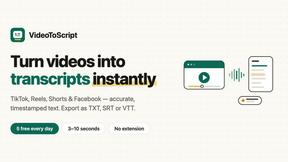
VideoToScript
Turn TikTok, Reels, Shorts, Facebook videos, audio, and video into accurate timestamped transcripts with TXT, SRT, and VTT exports.

UGCad AI
AI UGC video ad Generator which Turn a URL, prompt, or template into a ready video ads

PerchanceAI
PerchanceAI is an AI creative studio for image generation, editing, background removal, product photos, and image-to-video creation.


VideoAny BR
Create AI videos from text or images, generate images and audio in one online studio.

VideoAny BE
Create AI videos from text or images, generate images and audio in one online studio.

HubVanta AI
HubVanta AI helps creators generate images and videos with advanced AI tools for visual content workflows.
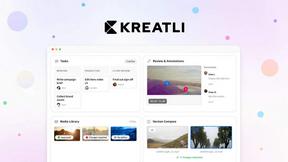

Vivideo
Vivideo is a free AI video generator that transforms text and images into professional videos up to 10 minutes long using over 30 top models without.

happy oyster
Happy Oyster is a real-time AI world model that lets you create immersive environments, wander through them, and direct the story as it unfolds.
About Veo 4 video generator Alternatives
Veo 4 video generator is an advanced AI-driven tool that specializes in transforming text, images, or videos into high-quality, cinematic video clips in a matter of seconds. This innovative solution caters primarily to creators, marketers, and brands looking to streamline their video production processes. By focusing on ultra-realistic motion and detailed visuals, Veo 4 stands out in the video generation category, making it suitable for a wide range of applications, from marketing campaigns to branded storytelling. However, many users often find themselves seeking alternatives to Veo 4 for various reasons, such as pricing, feature sets, or platform compatibility. When exploring alternatives, it's essential to consider factors like ease of use, the quality of video output, supported formats, and the overall versatility of the tool. Additionally, evaluating customer support and community resources can significantly influence the choice, ensuring that users select a solution that meets their specific video production needs.
FAQs about Veo 4 video generator Alternatives
What is Veo 4 video generator?
Veo 4 video generator is a next-generation AI tool designed to transform text, images, or existing videos into high-quality video clips quickly. It focuses on delivering ultra-realistic motion and cinematic detail, making it ideal for marketers and creators looking to produce polished video content efficiently.
Who is Veo 4 video generator for?
Veo 4 is tailored for creators, marketers, and brands that need to produce high-quality video content rapidly. It serves those working on projects such as product launches, social media ads, and branded storytelling, providing a streamlined way to bring concepts to life.
Is Veo 4 video generator free?
Veo 4 video generator typically operates on a subscription model, and users may need to explore the pricing options available to determine the costs associated with its features. While free trials or limited versions may be available, comprehensive access generally requires a paid plan.
What are the main features of Veo 4 video generator?
Veo 4 offers three core creation paths: text to video, image to video, and video to video, enabling users to start with various inputs. It is designed for speed and clarity, producing longer clips with smoother motion and cleaner framing, making it practical for real-world applications.